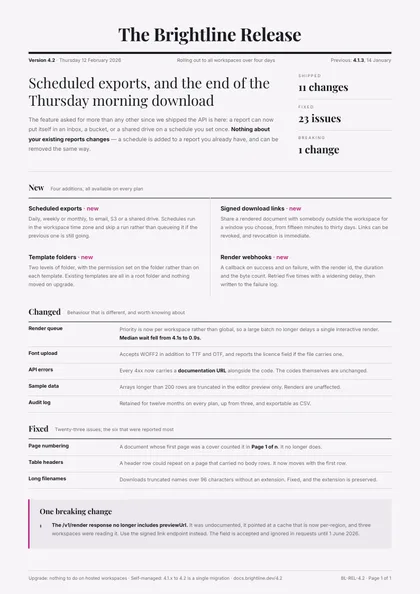
Newspaper masthead · Ink & magenta · Playfair Display + Inter
expressive A4 portrait 1 page
See the full document
Use this template
Sales & marketing
Release notes are read by people who did not ask for the change. One thing that matters, then the lists — what is new, what behaves differently, and the one thing that will break, said before it does.
3 designs, each a separate take on the same document rather than a recolour of one layout: Newspaper masthead, Minimal, type-led and Swiss grid. Every preview below is the actual compiled output, not a mock-up.
Open one in the editor and render it from your own JSON over the API — 1 page of A4 portrait, the same engine either way.
Newspaper masthead · Ink & magenta · Playfair Display + Inter
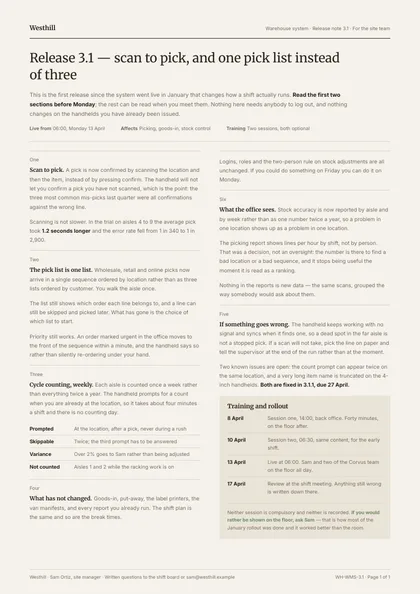
Minimal, type-led · Espresso & sage · Merriweather + Inter
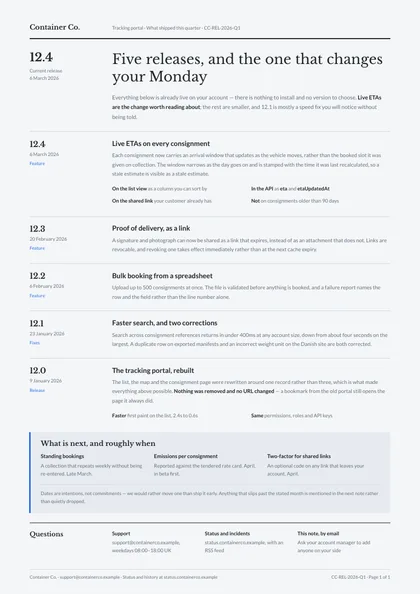
Swiss grid · Graphite & azure · Libre Baskerville + Lato
Same document, same data model, 3 different arguments about how it should look on paper. Pick on layout and typography — the content behaves identically.
| Design | Layout | Palette | Typefaces | Pages |
|---|---|---|---|---|
| Changelog Editorial | Newspaper masthead | Ink & magenta | Playfair Display + Inter | 1 · A4 portrait |
| Plain Release | Minimal, type-led | Espresso & sage | Merriweather + Inter | 1 · A4 portrait |
| Ship Note | Swiss grid | Graphite & azure | Libre Baskerville + Lato | 1 · A4 portrait |
Each design is authored against an explicit reflow contract, so it is defined up front which blocks are emitted once per record and which fields absorb longer content. That is what stops the layout falling apart at a hundred rows.
| Design | Repeats per record | Grows with your data |
|---|---|---|
| Changelog Editorial | feature cards in the new band; rows in the changed and fixed bands; the breaking-change items | the lead standfirst; every feature description; every changed or fixed note |
| Plain Release | sections down the two columns; the rollout rows in the closing block | every section's prose; the standfirst; the rollout note |
| Ship Note | one release per row, its version and date hung in the margin; the items under "next" | every release note's prose; the standfirst; the "next" items |
These document sets each include the release notes designs above.
Open a design in the editor and the agent reshapes it around your schema — then render it from your own data over the API, or let your users edit it in the embedded editor.