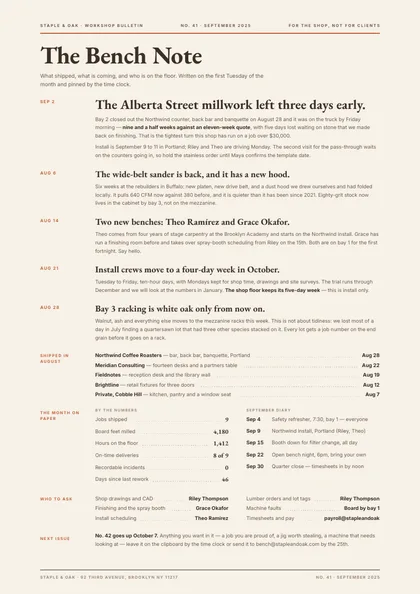
Minimal, type-led · Sand & terracotta · EB Garamond + Inter
refined A4 portrait 1 page
See the full document
Use this template
Sales & marketing
A newsletter is a periodical: masthead, dateline, lead story and columns, designed to look like something that arrives on a schedule.
3 designs, each a separate take on the same document rather than a recolour of one layout: Minimal, type-led, Newspaper masthead and Two-column magazine. Every preview below is the actual compiled output, not a mock-up.
Open one in the editor and render it from your own JSON over the API — 1 page of A4 portrait, the same engine either way.
Minimal, type-led · Sand & terracotta · EB Garamond + Inter
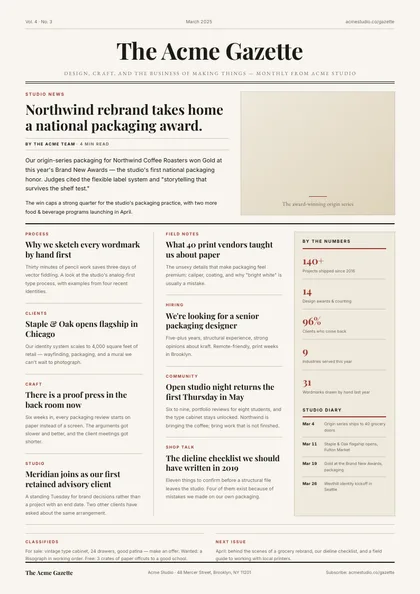
Newspaper masthead · Ink & cream · Playfair Display + EB Garamond
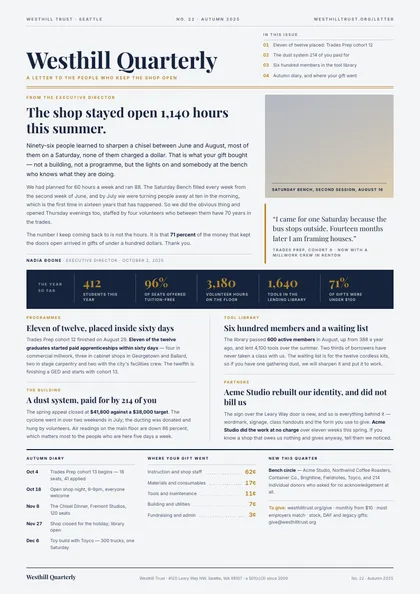
Two-column magazine · Navy & brass · Playfair Display + Inter
Same document, same data model, 3 different arguments about how it should look on paper. Pick on layout and typography — the content behaves identically.
| Design | Layout | Palette | Typefaces | Pages |
|---|---|---|---|---|
| Dateline | Minimal, type-led | Sand & terracotta | EB Garamond + Inter | 1 · A4 portrait |
| Gazette Masthead | Newspaper masthead | Ink & cream | Playfair Display + EB Garamond | 1 · A4 portrait |
| Patron Folio | Two-column magazine | Navy & brass | Playfair Display + Inter | 1 · A4 portrait |
Each design is authored against an explicit reflow contract, so it is defined up front which blocks are emitted once per record and which fields absorb longer content. That is what stops the layout falling apart at a hundred rows.
| Design | Repeats per record | Grows with your data |
|---|---|---|
| Dateline | news items, each stamped with its own date; shipped-job lines; numbers lines; diary dates; who-to-ask lines | the lead item and every news item body; the sign-off note |
| Gazette Masthead | articles in a two-column flow; sidebar stat rows; sidebar diary entries; classified rows | article bodies (any length) |
| Patron Folio | contents lines; numbers-band figures; news items in the two measures; diary dates; allocation lines; supporter roster names | the director's letter; news item bodies; the giving note |
These document sets each include the newsletter designs above.
Open a design in the editor and the agent reshapes it around your schema — then render it from your own data over the API, or let your users edit it in the embedded editor.