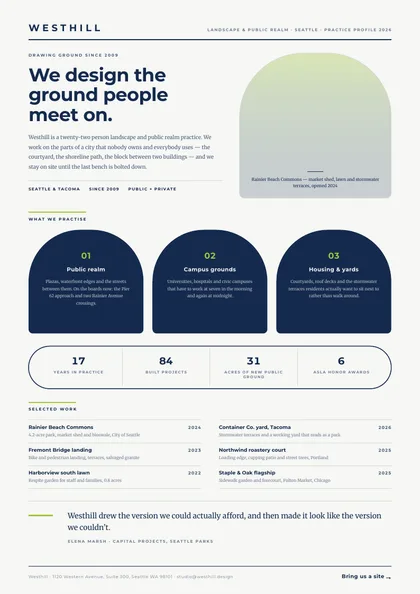
Organic arches · Cobalt & chartreuse · Montserrat + Merriweather
expressive A4 portrait 1 page
See the full document
Use this template
Sales & marketing
A brochure introduces the company to somebody who has never heard of it: what you do, who you do it for, and the evidence, across a few well-set spreads.
3 designs, each a separate take on the same document rather than a recolour of one layout: Organic arches, Minimal, type-led and Full-bleed hero. Every preview below is the actual compiled output, not a mock-up.
Open one in the editor and render it from your own JSON over the API — 1 page of A4 portrait, the same engine either way.
Organic arches · Cobalt & chartreuse · Montserrat + Merriweather
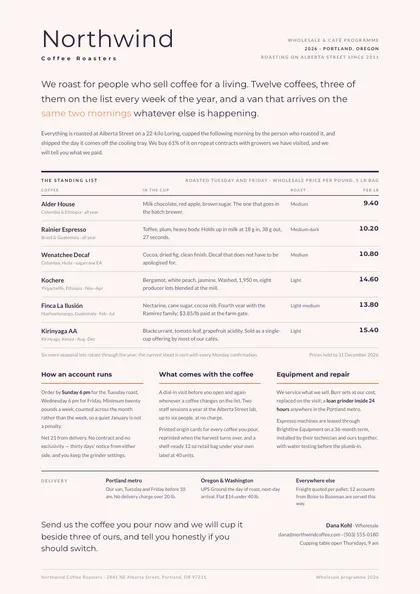
Minimal, type-led · Aubergine & peach · Montserrat + Lato
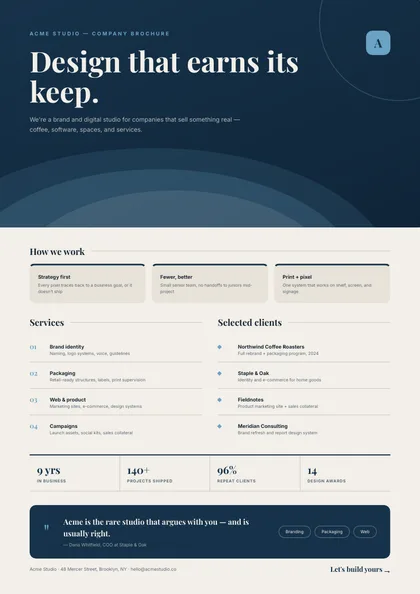
Full-bleed hero · Steel & blue · Playfair Display + Inter
Same document, same data model, 3 different arguments about how it should look on paper. Pick on layout and typography — the content behaves identically.
| Design | Layout | Palette | Typefaces | Pages |
|---|---|---|---|---|
| Colonnade | Organic arches | Cobalt & chartreuse | Montserrat + Merriweather | 1 · A4 portrait |
| Standing Rule | Minimal, type-led | Aubergine & peach | Montserrat + Lato | 1 · A4 portrait |
| Wave Editorial | Full-bleed hero | Steel & blue | Playfair Display + Inter | 1 · A4 portrait |
Each design is authored against an explicit reflow contract, so it is defined up front which blocks are emitted once per record and which fields absorb longer content. That is what stops the layout falling apart at a hundred rows.
| Design | Repeats per record | Grows with your data |
|---|---|---|
| Colonnade | practice arches (three across, wrapping to a further row of three); capability pill cells; selected-work rows | positioning deck; each practice description; the client quote |
| Standing Rule | coffee rows on the standing list; the three programme columns; delivery terms | the opening statement; every programme column body; the seasonal note under the list |
| Wave Editorial | how-we-work steps; service rows; client rows; proof metrics | positioning copy; per-service description |
These document sets each include the company brochure designs above.
Open a design in the editor and the agent reshapes it around your schema — then render it from your own data over the API, or let your users edit it in the embedded editor.