Finance wants a PO number on the invoice. It takes five minutes: add a poNumber field, mark it required, put it in the header, save.
Now look at what your billing service does on its next run. It sends the same JSON it sent yesterday, and the template no longer accepts it:
{
  "error": "Validation failed",
  "details": [
    { "path": "", "message": "must have required property 'poNumber'" }
  ]
}
So you try the other order and teach billing to send poNumber first. If your template is written in Typst code, that fails too, because the old template has never heard of the field:
{
  "error": "Compilation failed",
  "diagnostics": [
    { "severity": "error", "message": "unexpected argument: poNumber" }
  ]
}
The template and the app that fills it are two things that ship separately, and neither one can safely go first. Templates built from blocks ignore a field they don’t read, so they are spared the second error but not the first.
The fix is the one you already use for code: stop editing the thing production runs.
Three pieces
Every template on pdfs.build has these:
- The draft is your working copy. Every edit lands here, and only the editor sees it.
- A version is a frozen snapshot of the code, schema, sample data and page settings, numbered v1, v2, v3. It never changes, and anyone can ask for it by number.
- A channel is a name that points at a version, like
staging. Anyone can ask for it by name.
One channel is special. latest is production: a render request that doesn’t mention a version gets whatever latest points at. Saving a draft doesn’t move it, and neither does freezing a new version. You move it on purpose, by promoting.
Here is the PO number change, start to finish.
1. Publish
Publishing freezes the template as v1 and points production at it. From then on, your API calls render v1 and nothing you do in the editor can reach them.
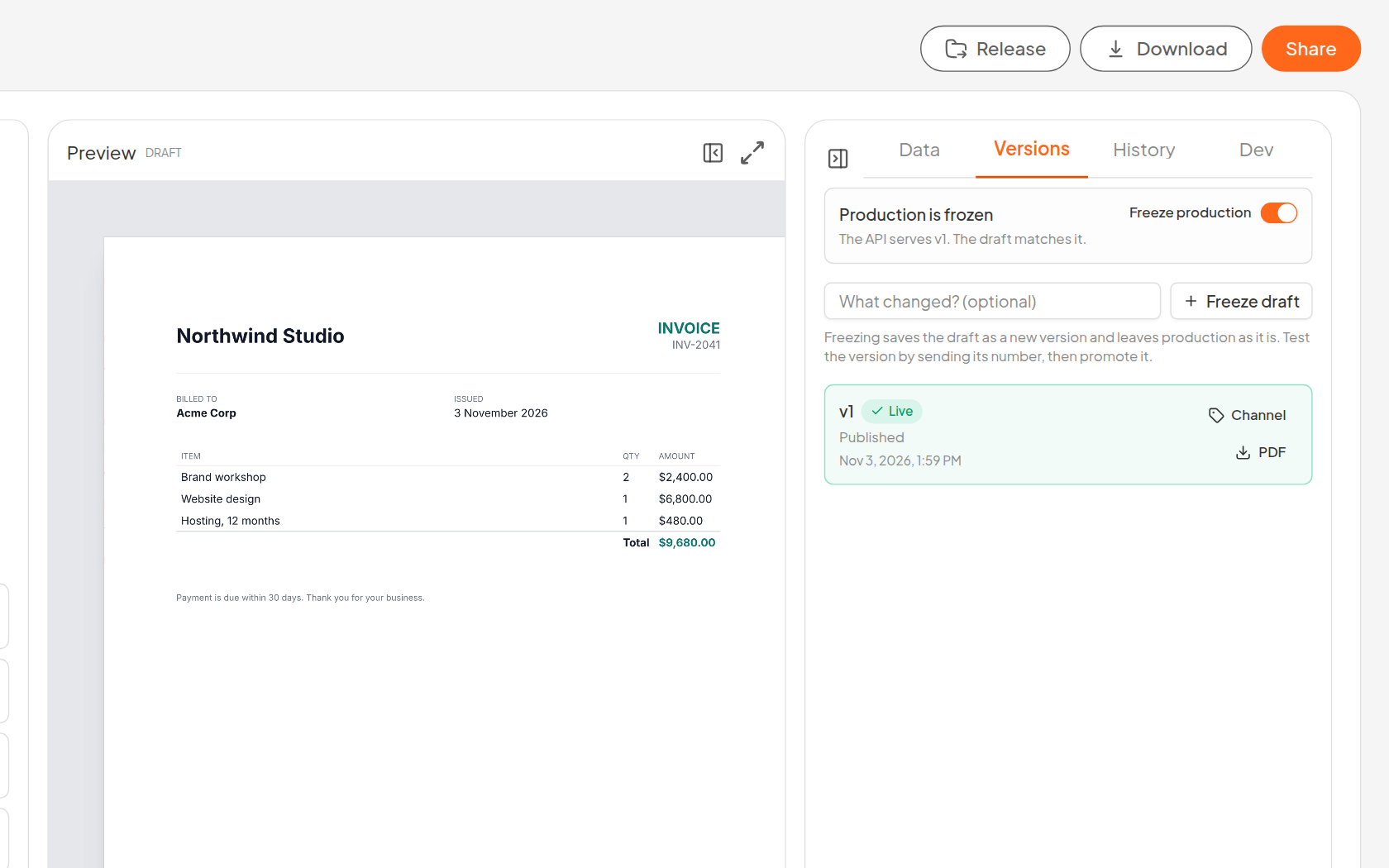
Open the template from My Files and you’re in the editor. The Versions tab sits beside History in the panel on the right, and the box at the top always tells you where things stand.
2. Edit the draft
Ask the assistant to add the field, and move on. The preview shows your change, while the box says the API is still on v1 and that the draft has changes that aren’t in a version yet.
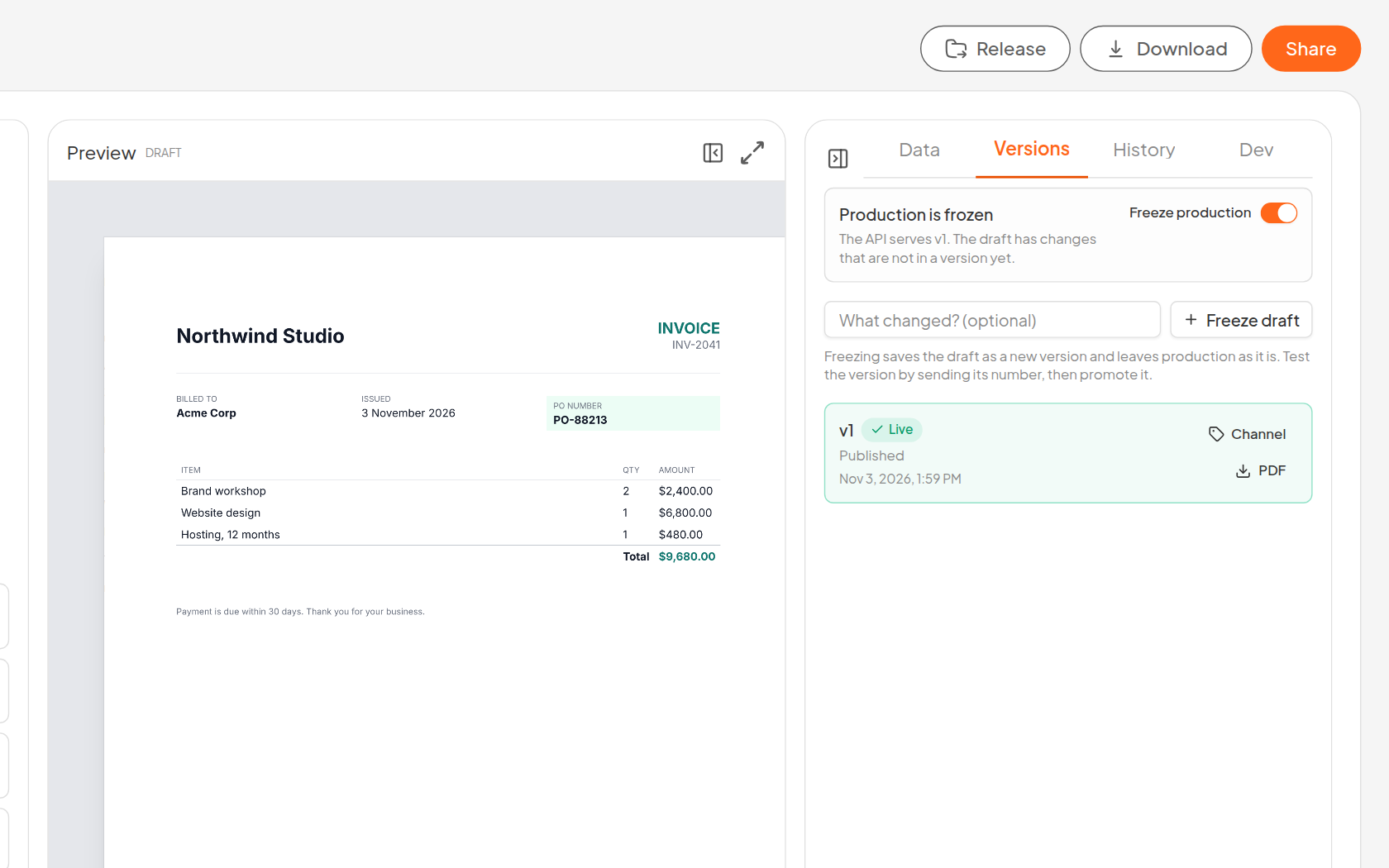
Billing keeps rendering invoices the whole time, with no PO number and no errors. You can spend a week on this draft if you want to.
3. Freeze it
Write a short note about what changed and press Freeze draft. That makes v2 and leaves production alone.
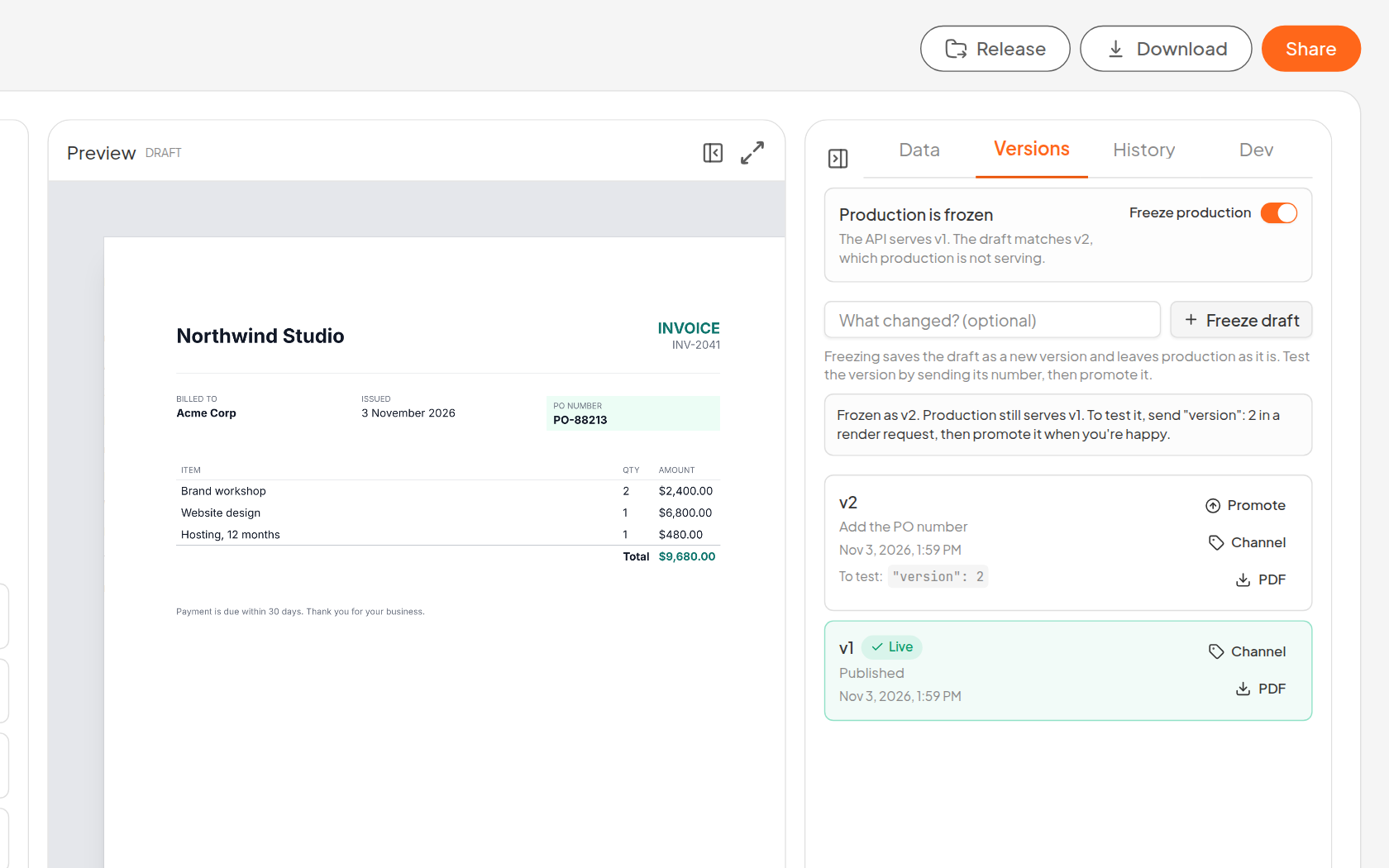
Freezing runs a compile check first, so a template that can’t compile can’t become a version. If nothing changed since the last version, you get told that instead of collecting a pile of identical v7s.
4. Test it in staging
Press Channel on v2 and pick staging. Your staging environment can now ask for it by name, and you can keep moving that name to newer versions without touching its config.
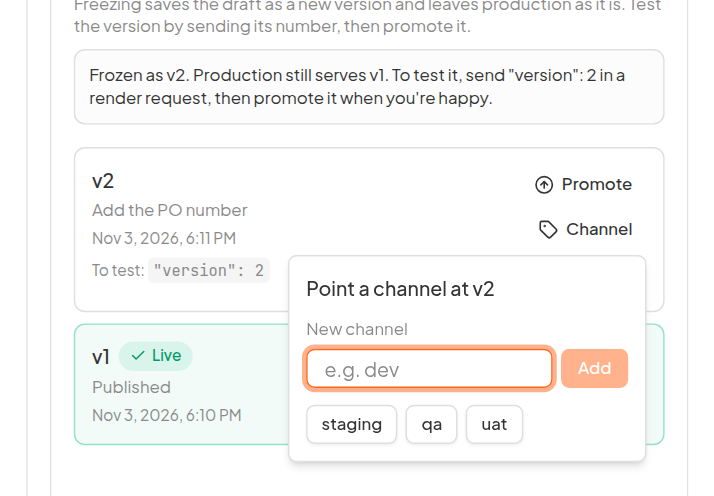
Staging is only a suggestion. A channel can have any name like qa, uat or dev, and a template can have as many as you have environments. A name is up to 64 lowercase letters, digits, dots, dashes and underscores, starts with a letter or a digit, and isn’t only digits or draft. The API calls production latest, and the editor won’t make a channel named production, so nothing is mistaken for it. The same menu moves a channel to another version in one click, and the × on its tag removes it after asking. None of this touches production, which only moves when you promote.
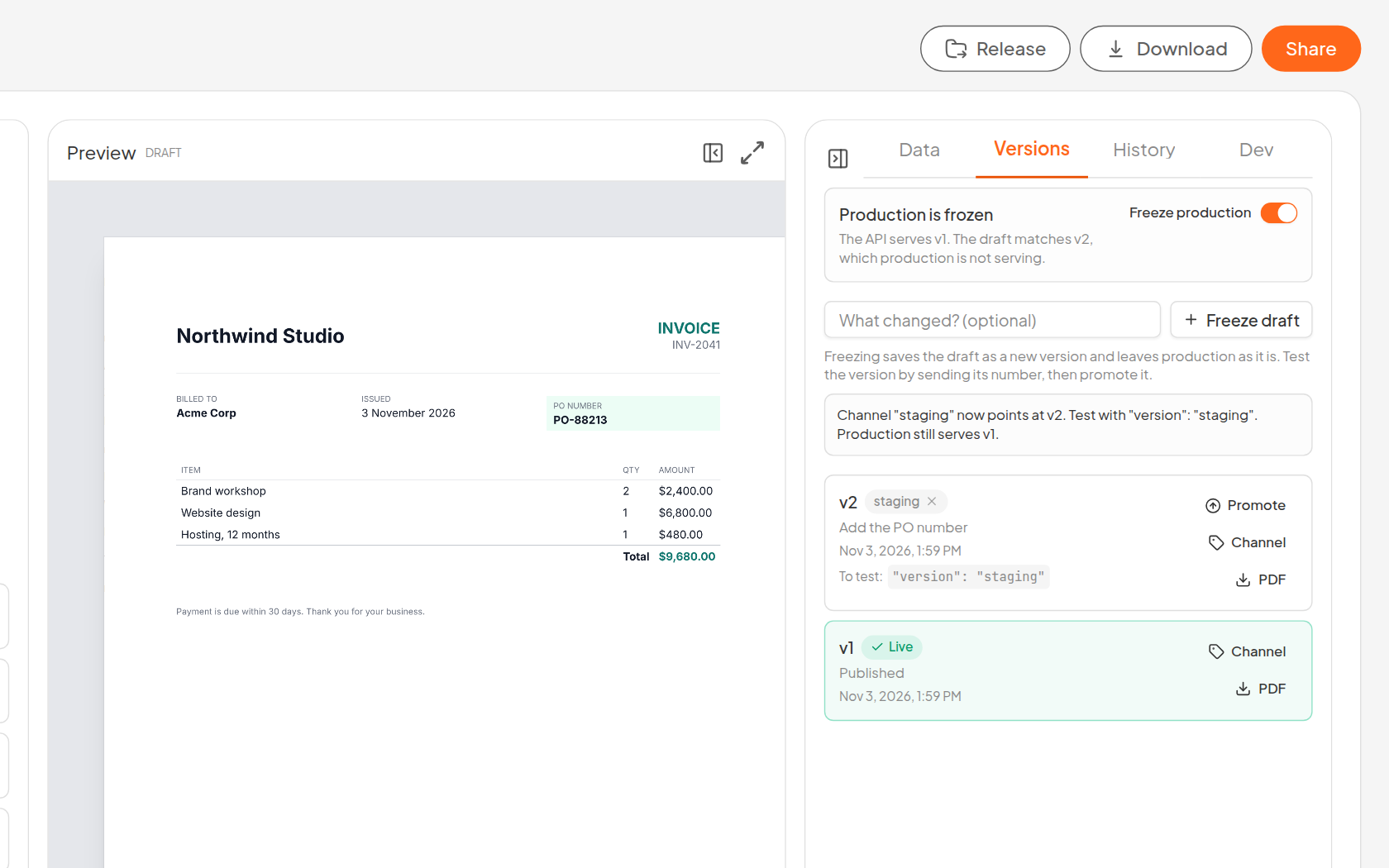
The request is the one you already make, plus one field:
curl -X POST "https://api.pdfs.build/v2/organizations/$ORG_ID/templates/client-invoice/render" \
  -H "Authorization: Bearer $PDFS_API_KEY" \
  -H "Content-Type: application/json" \
  -d '{
    "version": "staging",
    "data": {
      "company": "Northwind Studio",
      "customer": "Acme Corp",
      "invoiceNumber": "INV-2041",
      "poNumber": "PO-88213",
      "items": [{ "name": "Website design", "qty": 1, "amount": "$6,800.00" }],
      "total": "$6,800.00"
    }
  }' --output invoice.pdf
Leave out poNumber and you get the validation error from the top of this post, except now it shows up in staging, where it’s useful. A version keeps the schema it was frozen with, so staging is testing the real contract and not a guess at it.
If your integration builds its payload from the schema, ask for the schema of the version you’re about to render:
curl "https://api.pdfs.build/v2/organizations/$ORG_ID/templates/client-invoice?version=staging" \
  -H "Authorization: Bearer $PDFS_API_KEY"
Want to see a version without calling anything? Each one has a PDF button that renders it with its own sample data. It counts as a render.
5. Ship it
This is where the ordering problem goes away. Release your app with the new field and a pin to the version that expects it, in the same deploy:
{
  "version": 2,
  "data": { "invoiceNumber": "INV-2041", "poNumber": "PO-88213" }
}
The payload and the template now change together, so nothing has to happen in a particular order. If that deploy goes badly and you roll it back, the old code sends the old payload with no pin and gets v1, which still works.
Once you’re happy with it, press Promote so anything that doesn’t pin a version gets v2 as well. You can then drop the pin in a later release, or keep pinning every release if you like knowing exactly what each one renders.
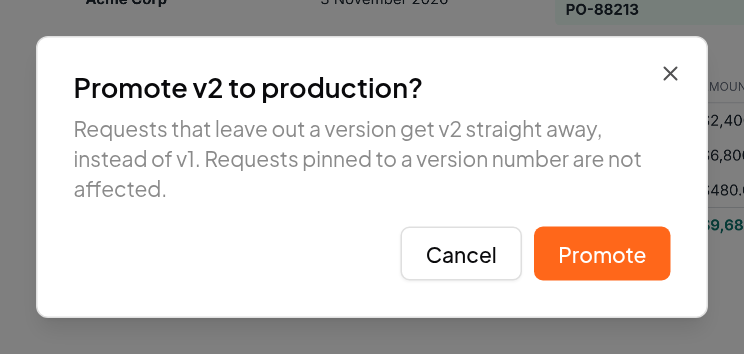
For a change that doesn’t touch the data, like a new logo or a fixed margin, you can skip the pin. Test it in staging and promote.
6. Roll back, if you have to
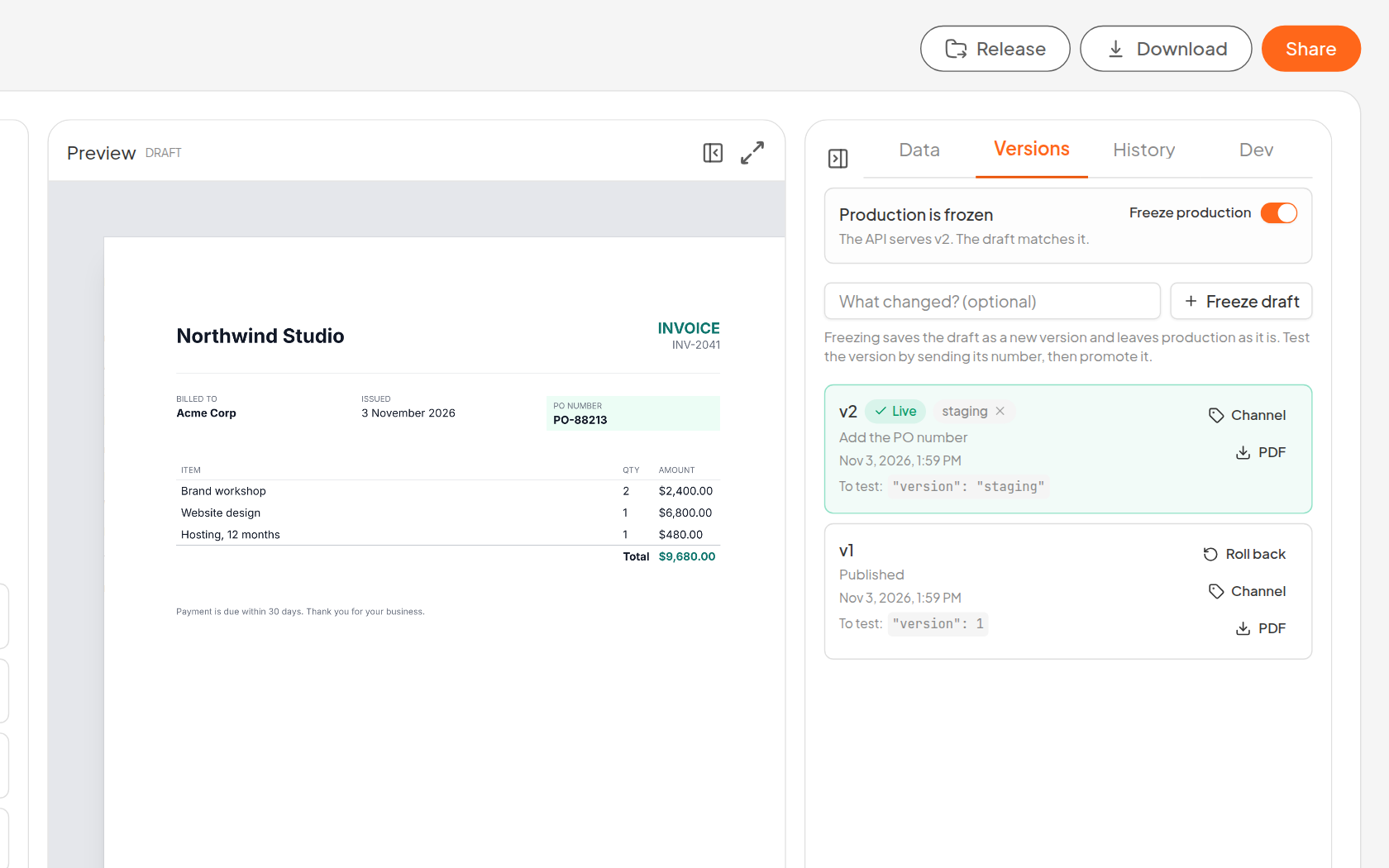
The invoice looks wrong in some way nobody caught? v1 is still there, untouched, with a Roll back button on it. Requests that leave out a version are back on v1 straight away. No redeploy, no restoring from anywhere.
One catch: if the version you’re leaving added a required field, the app sending that field has to go back too, because v1 doesn’t know about it. That’s the same two-way problem from the top of this post, and the reason a pin is the safer way to ship that kind of change.
Batches are safe through all of this too. A batch resolves its version when you submit it, so promoting halfway through a 500 document run won’t give you 250 of each.
Dev, staging and production
Put together, it maps to the environments you probably have:
- Production sends no
versionand gets the promoted version. - Staging sends
"version": "staging"and gets whatever you pointedstagingat. Aqaoruatenvironment works the same way with its own channel. - Dev sends a number, like
"version": 3, and gets exactly that.
Dev can also send "version": "draft" to render the working copy as it is right now, with nothing frozen. That’s handy while you’re still editing, but the draft keeps changing under you, so test a frozen version before you promote anything. The template has to be published for any of this: the API won’t render one that isn’t.
It works from CI too
If your templates live in a repository, a CI job can do all of this with an API key: push the Typst to the draft, freeze it, point dev and then staging at it, render staging, and promote. Production only moves at the last step, and it refuses a version that would break the data its callers send unless the job says force. The API docs walk through it with a curl call for every step: Promote from CI.
It works from your AI agent too
If you edit templates through Claude Code, Cursor or another agent over MCP, the same steps are tools. A session looks like this, lightly trimmed:
> create_template_version { changelog: "Add the PO number" }
Froze the draft as v2. Production is unchanged. Render it with
{ "version": 2 } to test, then promote_template_version when it is ready.

> promote_template_version { version: 2, channel: "staging" }
Channel "staging" now points at v2. Render it with { "version": "staging" }.

> render_template { version: "staging", data: { ... } }
Rendered "client-invoice.pdf" from version 2 (channel "staging").

> promote_template_version { version: 2 }
Production now serves v2. Callers that omit "version" pick it up immediately.
remove_template_channel { channel: "staging" } takes a channel away again. It won’t remove latest.
This is also the difference between an agent you let near a live template and one you don’t. It can rewrite the draft as much as it likes. Production moves when someone promotes.
What to watch for
A few things it doesn’t do yet, so you don’t have to find out the hard way:
- Fonts and images aren’t frozen. A version pins its code, schema and sample data, but organization fonts and images are looked up when the document renders. Replace your logo and every version shows the new one straight away.
- Publishing again over the API ships the draft. Calling the public
POST .../publishon a published template freezes the draft and moves production to it. The dashboard and MCP refuse to do this and send you through freeze and promote, so be careful with that endpoint in scripts. - Webhooks go everywhere by default. A render notifies every enabled endpoint, including one from staging. Send
"webhookIds": []from staging to notify none, or list the ones it should reach. - API keys aren’t tied to an environment. A key in your staging app can render production’s version, and publish or promote production too, so keep separate keys and treat them with the same care.
- Staging renders count. They use the same monthly quota as everything else.
- Older templates may still go live on save. Templates from before versions existed keep that behaviour until you turn on Freeze production in their Versions tab, which freezes what’s live and carries on from there. New templates start frozen.
Try it
Open any published template from My Files, switch to the Versions tab, and freeze something. It takes about a minute, and it’s a much better feeling the next time someone asks for a small change to the invoice.
The API docs have the details on version selectors, and if you don’t have a template yet, you can start from one in the gallery.