Use Case
Generate invoice PDFs from data
Stop building invoices by hand. Define a template with dynamic variables for customer details, line items, and totals. Pass JSON data via API and get a pixel-perfect PDF back in milliseconds.
The old way
- HTML templates + headless browser = slow, brittle, inconsistent
- LaTeX templates = steep learning curve, hard to maintain
- Manual PDF libraries = verbose, pixel-pushing, no live preview
With pdfs.build
- Define template once — clean, readable, maintainable
- Pass customer & line item data as JSON, rendered in about 220ms (median)
- Pixel-perfect output — consistent typography and layout every time
One API call to render an invoice
const invoice = await fetch('https://api.pdfs.build/v2/organizations/org_abc/templates/invoice-primary/render', {
  method: 'POST',
  headers: {
    'Authorization': `Bearer ${API_KEY}`,
    'Content-Type': 'application/json'
  },
  body: JSON.stringify({
    data: {
      company: 'Acme Corp',
      customer: 'Jane Smith',
      invoice_nr: 'INV-2025-042',
      items: [
        {  description: 'Consulting', hours: 8, rate: 150 },
        {  description: 'Development', hours: 24, rate: 125 }
      ],
      due_date: '2025-03-15'
    }
  })
})
What comes back
A successful render responds with Content-Type: application/pdf
and the document itself — no polling, no job queue, no signed URL to fetch afterwards. Stream it
straight to your storage bucket, attach it to the email you were already sending, or pipe it back
through your own response. Failures come back as JSON with an error
object rather than a broken file, so a malformed payload never reaches a customer as a corrupt attachment.
Your own invoice IDs
Templates are addressed by an externalId you choose —
invoice-primary, not a generated UUID. Rename it later and
historical records keep pointing at the right document.
An audit trail by default
Every render is logged. Filter by template, status, date range or source to answer "was invoice INV-2025-042 ever generated, and with what?" months later.
Safe to retry
Rendering has no side effects on your data, so a timeout or a
429 is safe to retry with the same payload and produces
the same document.
When the invoice is longer than the sample
This is where invoices actually break. A design that looks right with three line items has to survive the customer with ninety, the product name that runs to two lines, and the tax note nobody accounted for. Every invoice design in the library is authored against an explicit contract for exactly that:
- The line-item table repeats its header. Spill onto a fourth page and the column labels come with it, rather than leaving a reader guessing which number is the rate.
- The totals panel stays whole. Subtotal, tax and amount due are never split across a page break — the block moves as a unit or moves to the next page.
- Long descriptions wrap, they do not overflow. Item text grows downward and pushes the table with it; the column widths hold, so the money stays aligned.
- Payment terms land last. Terms and bank details sit after the totals on the final page, wherever that page turns out to be.
Each design's page states its own contract in full, so you can see how it behaves before you commit to it.
Invoice templates to get started
See every design →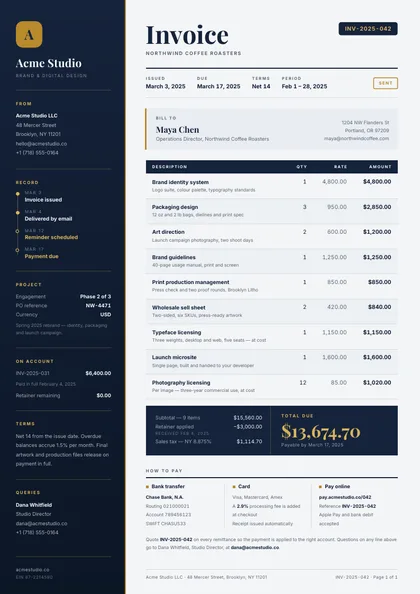
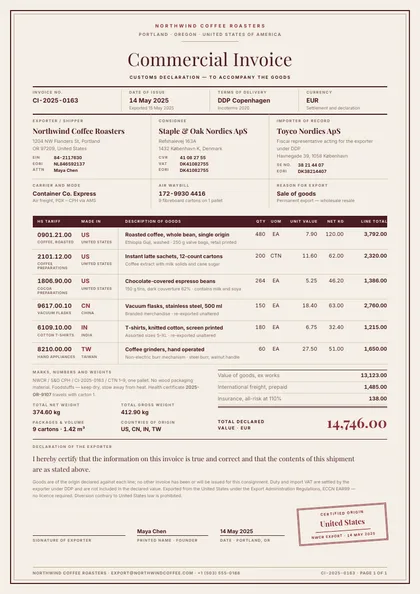
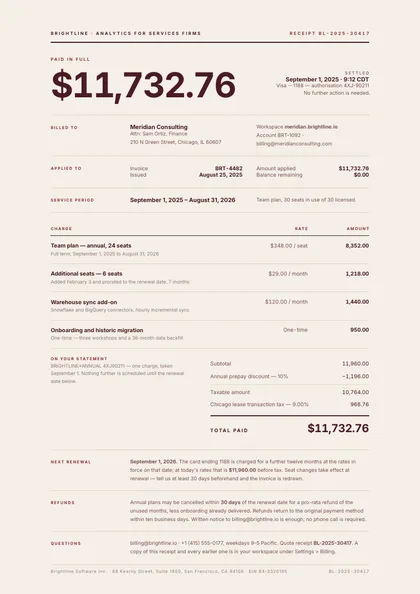
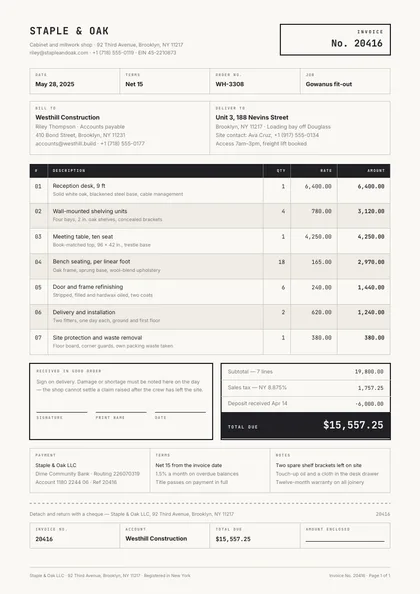
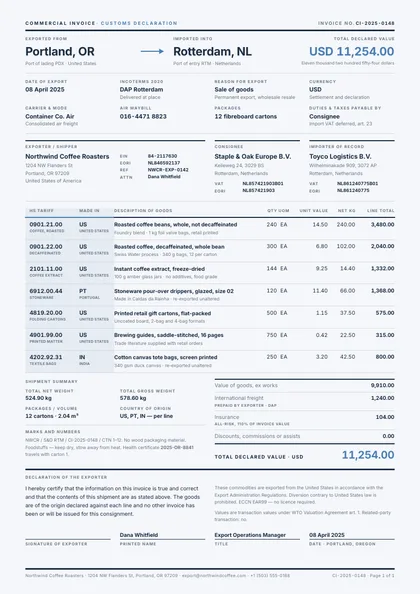
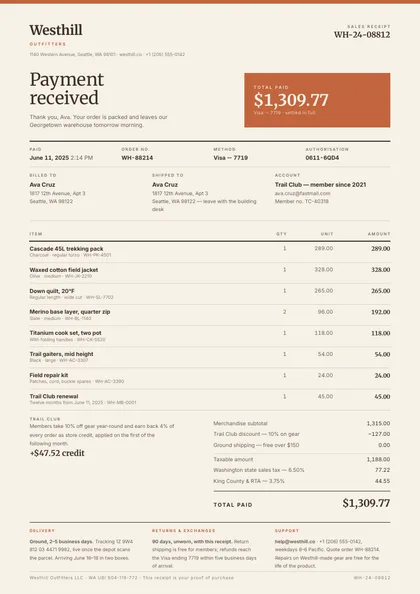
The mechanics behind this are the same for every document type: define the template once, make the parts that change into dynamic fields, and render each invoice through the API.
Building a SaaS whose customers need their own invoice designs? The embedded document editor puts this designer inside your product, white-label, with per-tenant billing.
Start generating invoices today
Free tier includes 2 templates and 50 watermarked PDF renders per month. No credit card required.
Start building free