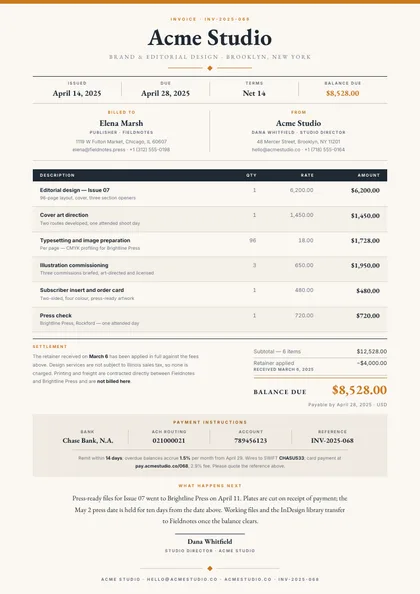
PDFs from your data
in 220 ms.
No headless Chrome.
Describe the document to the AI, or import a .docx. Then send JSON from your code, or let your AI agent do it, and get the PDF back.
Pro is free for 7 days, then $49 a month. Plans start at $19 a month. See pricing
- Claude Code
- Cursor
- Codex
- GitHub Copilot
- Antigravity
- Devin
An invoice with our address, a line items table and the total.
Done. The template has:
- Your details, and the client's
- Line items that grow with the data
- The total, worked out from the rows
Make the table header our orange.
Done, and it still compiles with 40 rows.
INVOICE
From
Acme Corp
123 Business Ave
San Francisco, CA 94102
Bill to
Globex Corporation
742 Evergreen Terrace
Springfield, IL 62701
| Description | Qty | Price | Amount |
|---|
Subtotal$775.00
Total due$775.00
Payment due within 30 days. Thank you!
Acme Corp · [email protected]Page 1 of 1
Compiled in your browser.
Why not print HTML with headless Chrome?
Puppeteer, Playwright and wkhtmltopdf turn a web page into a PDF. An invoice that runs to three pages was never a web page.
When Chrome is the right tool: the document genuinely is a web page — you are archiving live pages, or the layout depends on JavaScript that runs at render time.
Compared in detail: Puppeteer, wkhtmltopdf, WeasyPrint, DocRaptor, PDFMonkey, all 15
| Headless Chrome |  pdfs.build
| |
|---|---|---|
| What you run | A Chrome process per render, with a pool and warm-up to hide its cold start. | One HTTPS request. There is no browser to run. |
| What you author | HTML, CSS and JavaScript, printed by headless Chrome. | A design with a schema, edited in plain English. |
| What decides page breaks | Chrome's print emulation, applied to a page built for a screen. | The design states them; the engine composes to them. |
| As the data grows | Chrome's print rules and your print CSS; verify the output with representative data. | The ordinary case. Each design records what it does. |
| Next quarter | A Chrome release can shift text metrics, and the layout with them. | The same template and the same data give the same document. |
Your AI agent can do every step
Connect the hosted MCP server once. Then your agent designs, checks, publishes and renders templates from the chat you already work in.
- Claude Code writes the template, with the write_document tool.
- Cursor checks it against edge cases, with the compile_document tool.
- Codex publishes it, with the publish_template tool.
- GitHub Copilot renders the PDF, with the render_template tool.
- Antigravity imports your .docx, with the import_docx tool.
- Devin sets up the webhook, with the create_webhook tool.
It signs in with OAuth, so there is no API key to paste, and it comes with every plan. Any client that supports remote MCP servers can connect.
Start from 170+ designs, not a blank page
Invoices, quotes, statements, certificates, packing slips. Each one is built to hold up when real data replaces the sample: long tables carry their header onto the next page, and a signature block never splits.
-
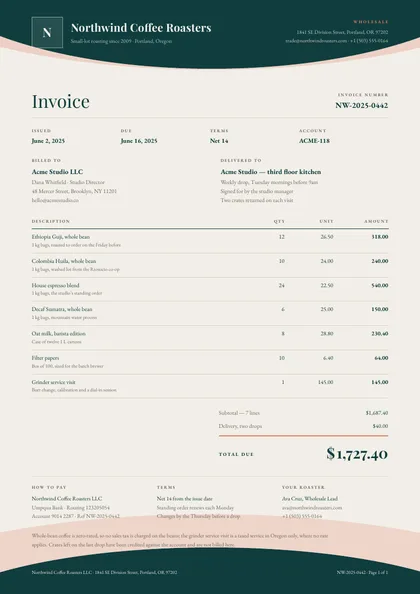 Invoice Wave Letterhead
 -
 Price quote Terracotta Arch
 -
 eBook lead magnet Harvest Wedge
 -
 Product line sheet Lookbook Grid
 -
 Employee handbook Brass Chapter
 -
 Account statement Plum Console
-
Start from a .docx
Import the Word file you already send, and keep editing it here in plain English.
-
Every edit is a checkpoint
Roll a template back to any earlier version, or compare two side by side.
-
One library for the team
Templates, fonts and brand assets shared across your organization, with roles.
-
Inside your own product
Embed the editor and its AI assistant, so your customers design their own documents. How embedding works
More on how templates are defined and the dynamic fields and reflow that keep them intact.
Generate PDFs with a single API call
Pass your template ID and a JSON data payload. Get back a rendered PDF in milliseconds. No headless browsers, no complex setup.
- RESTful endpoints — Standard HTTP API with OpenAPI documentation
- Webhook notifications — Get notified when generation completes
- Batch generation — Render thousands of documents in parallel
A fuller walkthrough is on the PDF generation API page.
View API referenceconst response = await fetch('https://api.pdfs.build/v2/organizations/org_abc/templates/invoice-primary/render', {
method: 'POST',
headers: {
'Authorization': `Bearer ${API_KEY}`,
'Content-Type': 'application/json'
},
body: JSON.stringify({
data: {
company: 'Acme Corp',
items: [
{ name: 'Consulting', qty: 3, price: 150 },
{ name: 'Development', qty: 1, price: 200 }
],
due_date: '2025-02-01'
}
})
})
const pdf = await response.arrayBuffer()Pricing
Simple, transparent pricing
Pro starts with a 7-day free trial. Every plan includes monthly AI design credits and can top up with credit packs that never expire, and Pro and above can keep going with pay as you go under hard caps you set.
Cancel anytime. Prices exclude applicable taxes.
- 1,000 PDF renders / month
- 1,500 AI design credits / month
Most popular
Pro
For steady production
Billed $490 / year
Start free trial7-day free trial included
Everything in Starter, plus:
- 5,000 PDF renders / month
- 4,000 AI design credits / month
Everything in Pro, plus:
- 20,000 PDF renders / month
- 10,000 AI design credits / month
For your product
Platform
Then pay as you go, with hard caps
Billed $1,990 / year
Put the report designer and its AI chat inside your own SaaS. Your customers design their documents; you keep the billing relationship.
Start PlatformEverything in Scale, plus:
- 50,000 PDF renders / month
- 15,000 AI design credits / month
- Embedded editor and in-app AI chat
- OpenAI and Anthropic model catalog
Need more? Contact us for custom volume, SSO, and dedicated infrastructure.
Start rendering PDFs in minutes
Pick a template, connect your data, and render via API. No headless browsers, no HTML-to-PDF hacks.
Start 7-day free trialNeed volume, SSO or a contract? [email protected]